Voice Remote for Your Gym Monster.
GMVoice is a voice-first remote for Speediance Gym Monster, built for the moments when reaching for the screen breaks the set.
Voice Preview
One command. One adjustment. No mid-set screen taps.
No dongle required — iOS and Android both connect over Wi-Fi, and Android also over Bluetooth. Just pair and go. We still recommend the GMVoice dongle for the lowest latency on every command, true plug-and-play setup, and dongle-only ring actions like Skip / Long Press and Double Press.
A ready-to-use GMVoice AtomS3U from GMVoice is coming soon. For now, you can buy blank compatible hardware from a third-party distributor and flash it yourself.
Voice Control for Speediance Gym Monster
Hands-free control for the moments when breaking the set to tap the screen is the last thing you want.
Jarvis is an optional wake word, so you can turn it on or off. The commands themselves depend on the training mode you are in.
Device control
Turn OnTurn OffCancel Turn Off(Free Lift only)Flip ScreenSkip StepTurn Left/Turn Right(Ring Mode only)Cancel Command
Workout
Add WeightRemove WeightChange WeightSet WeightSet Extra Weight(Chain/Eccentric, Advanced Dongle only)Set Barbell/Set DumbbellSet Standard/Set Chain/Set Eccentric/Set Constant SpeedSet Zero Assistance/Set Low Assistance/Set High Assistance
Device control
Turn OnTurn OffFlip ScreenSkip StepPause/ResumeNext ScreenPrevious Screen15 More SecondsContinue Training(Predefined only)Turn Left/Turn Right(Ring Mode only)Cancel Command
Workout
Add WeightRemove WeightChange WeightSet WeightSet Extra WeightSet Barbell/Set DumbbellSet Standard/Set Chain/Set Eccentric/Set Constant SpeedSet Zero Assistance/Set Low Assistance/Set High Assistance
Pilates has no Turn Left or Turn Right and no Cancel Command, because it works with bands instead of weight.
Device control
Turn OnTurn OffFlip ScreenSkip StepPause/ResumeNext ScreenPrevious Screen15 More Seconds(only in guided Pilates workouts, not in Free Lift Pilates)
Workout
Add BandRemove BandSet BandsRemove All BandsBand(keyword, with the colors yellow, pink, blue, orange, green and purple set separately)
Device control
Turn OnTurn OffFlip ScreenSkip StepPause/ResumeNext ScreenPrevious ScreenTurn Left/Turn Right(Ring Mode only)Cancel Command
Workout
Add LevelsRemove Levels
Two actions also fit into one sentence, and the full reference lives in the GMVoice voice command list.
"Jarvis, Change 5 to 10 pounds and then Turn on"Everything GMVoice does for your Speediance Gym Monster
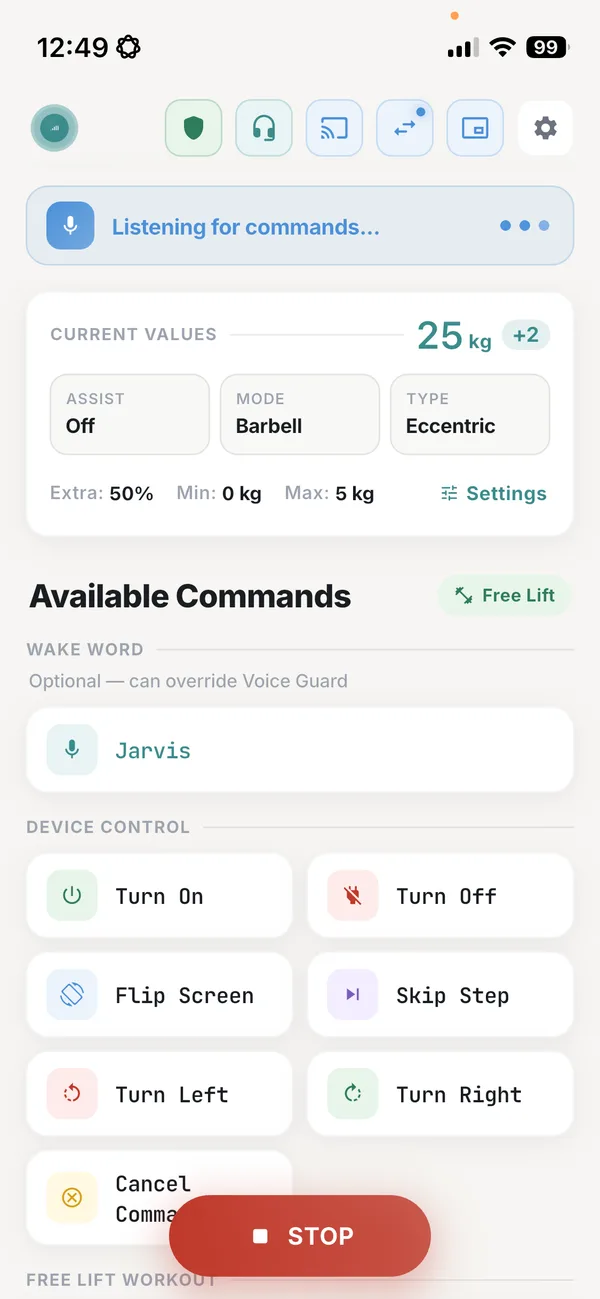
Your voice handles the weight, the modes and the machine itself, while overlays and a mirrored screen keep the numbers in front of you. More than 2,000 people use GMVoice as of September 2026.
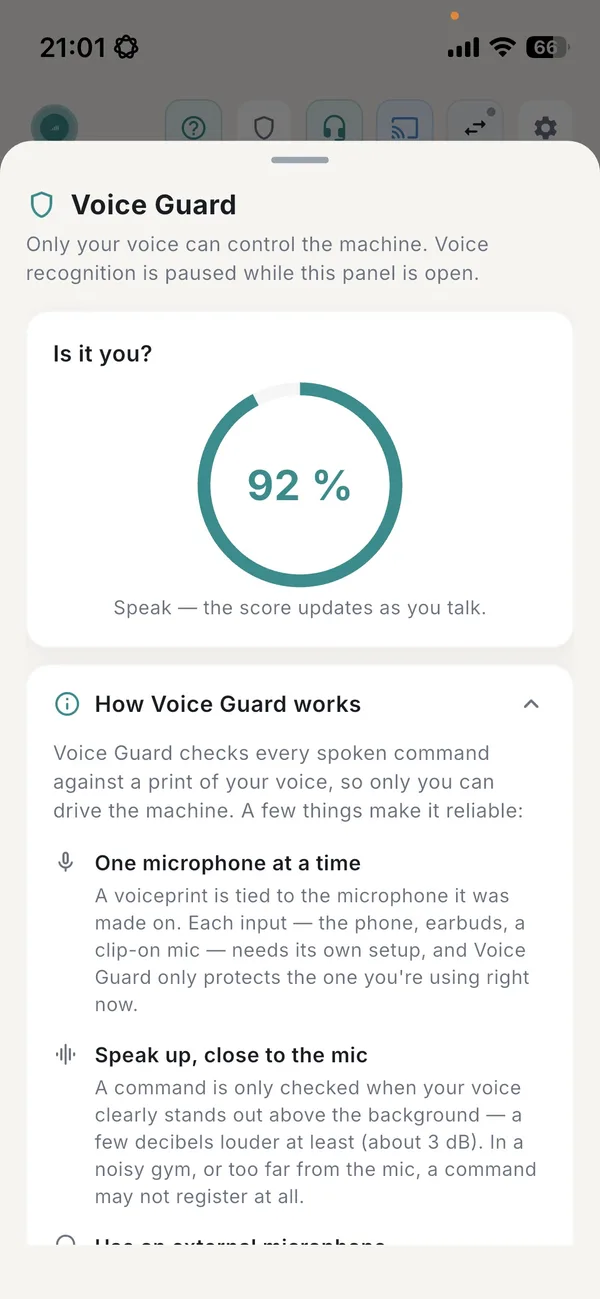
Voice Guard
The app learns your voiceprint and checks every command against it, so only your voice moves the weight.
Hot mic
The mic stays open through the set, so you speak when you need a change. No button to press, no screen to wake first.
Recognition on the device
Voice processing happens entirely on your phone, offline. No cloud, no internet, no data collection.
Siri and Android shortcuts
Run GMVoice actions from Siri Shortcuts on iPhone or from Google Assistant on Android.
Pilates, Rowing, Free lift and Guided Workouts
Voice control follows the way you train, from a guided workout to a free lift session, a rowing piece or Pilates. See Pilates bands by voice.
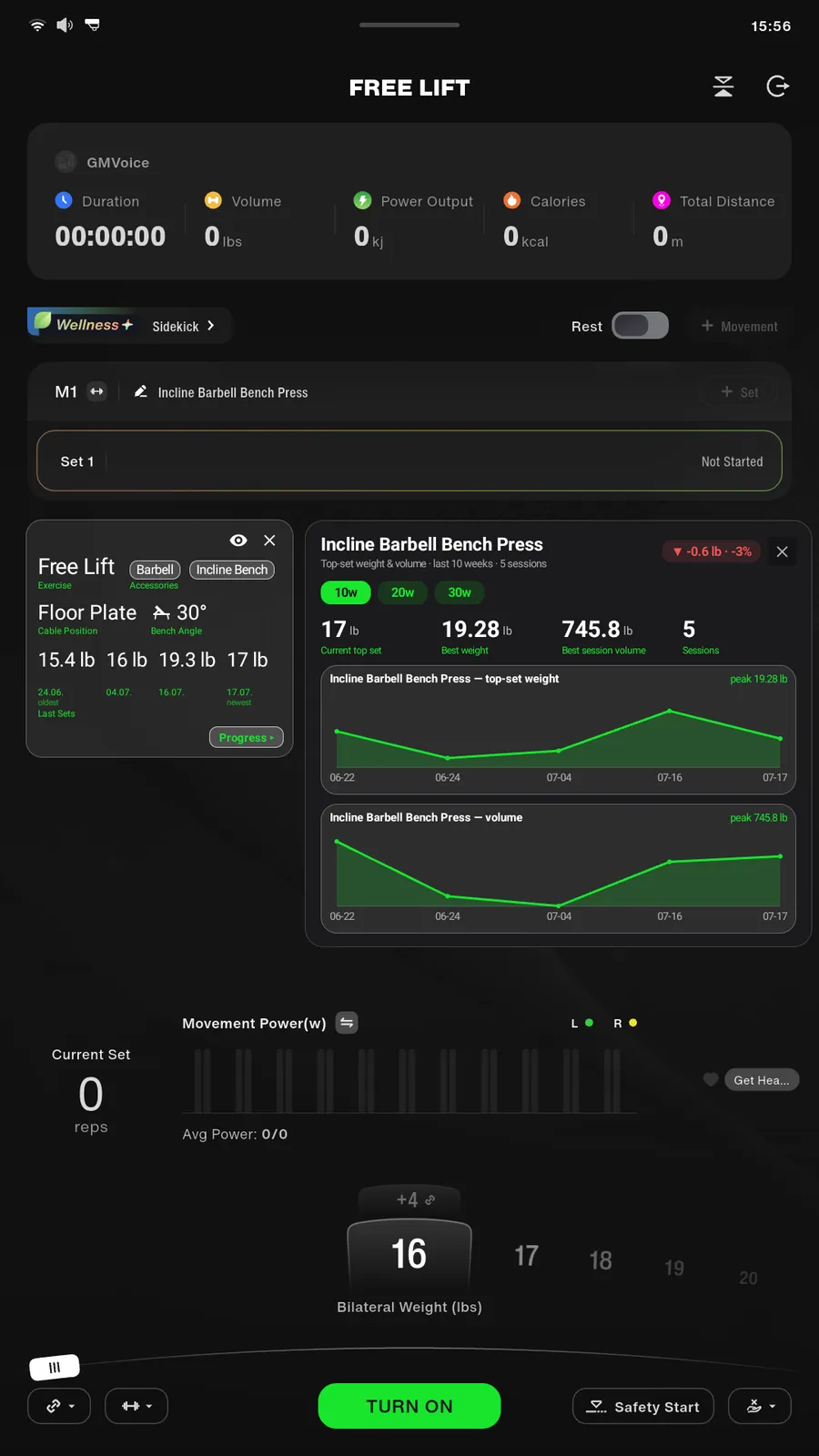
Smart overlays
Overlays appear right on the Gym Monster screen, switched on from GMVoice: a stats bar, a card with your current exercise, accessories, cable position, bench angle and last sets, and a progress panel with weight and volume trends for the exercise you are doing.
Screen mirror
Bring the Gym Monster screen to your phone and tap it there. You can control the machine remotely without walking back to it.
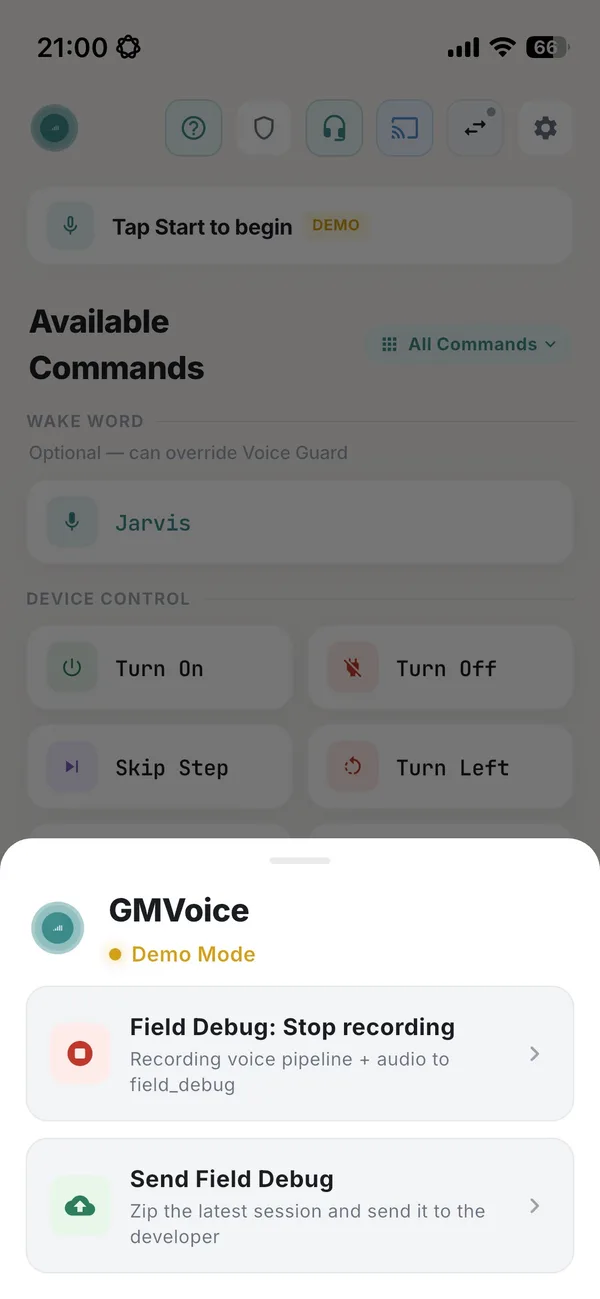
Field Debug
Miss a command? One tap marks it and sends the recording to the developer, so the app is tuned from real sessions. See how to debug GMVoice fast.
GMVoice on the phone
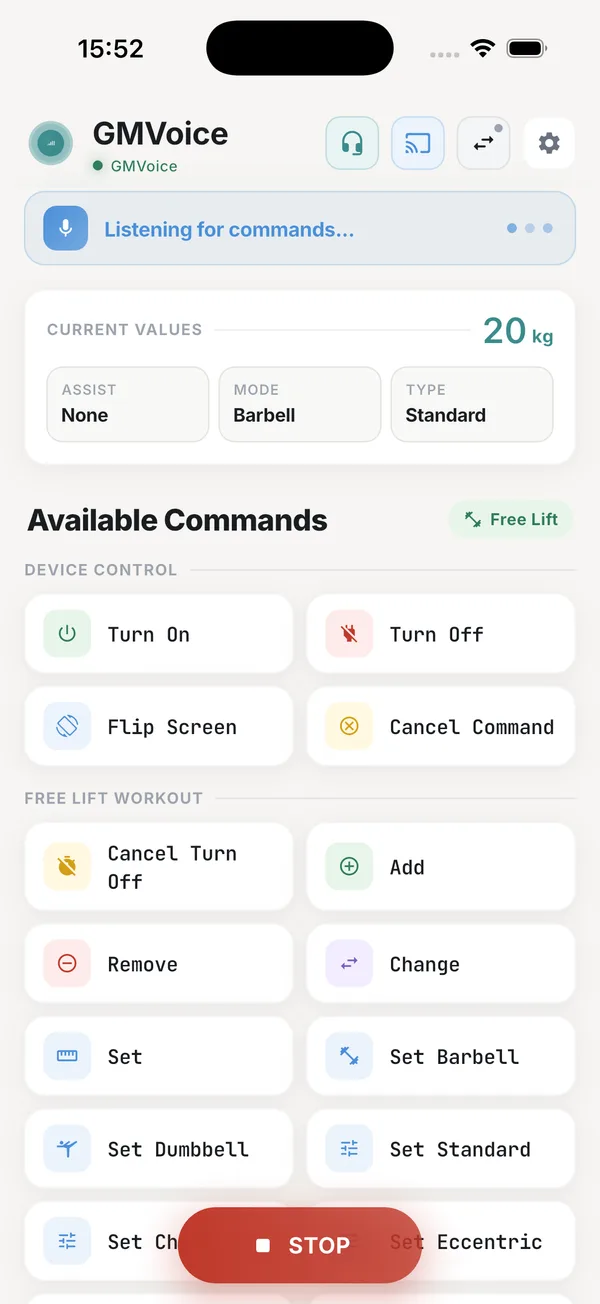
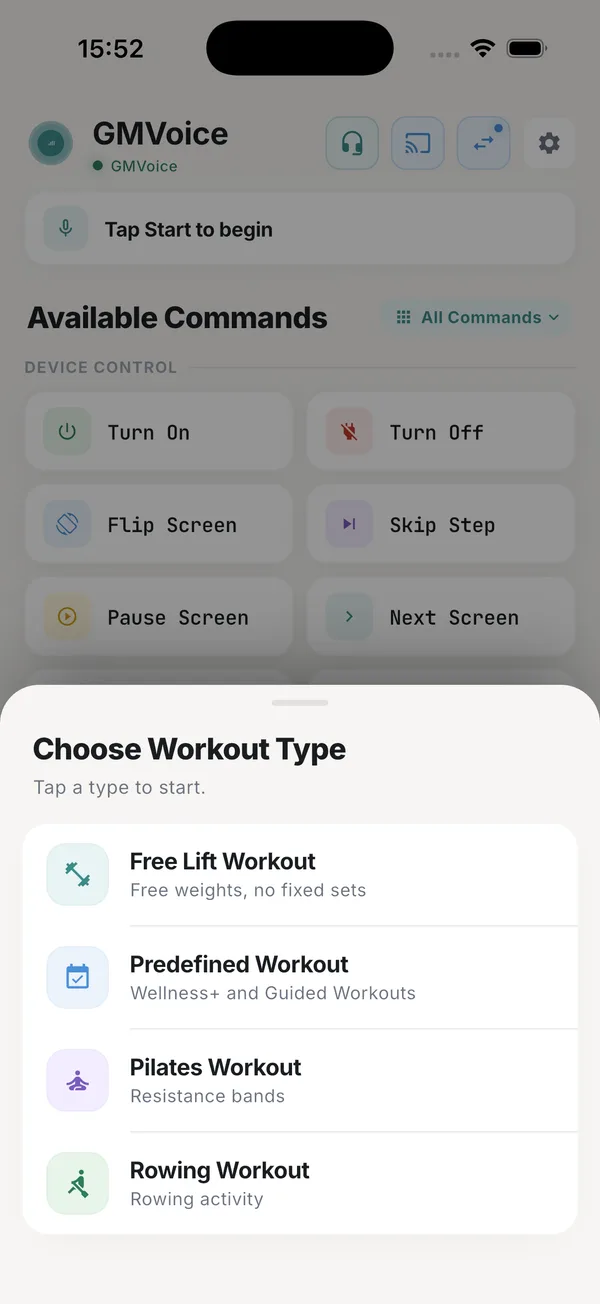
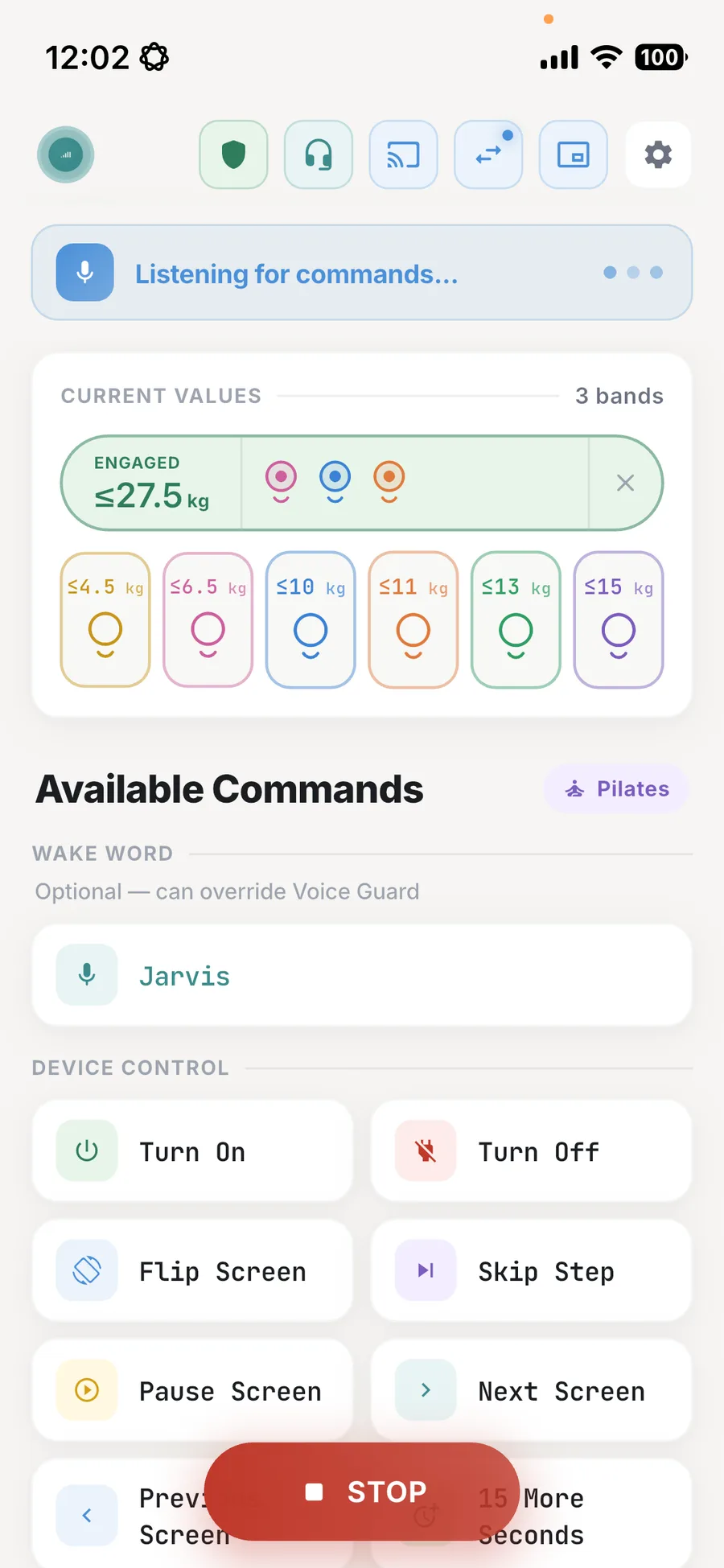
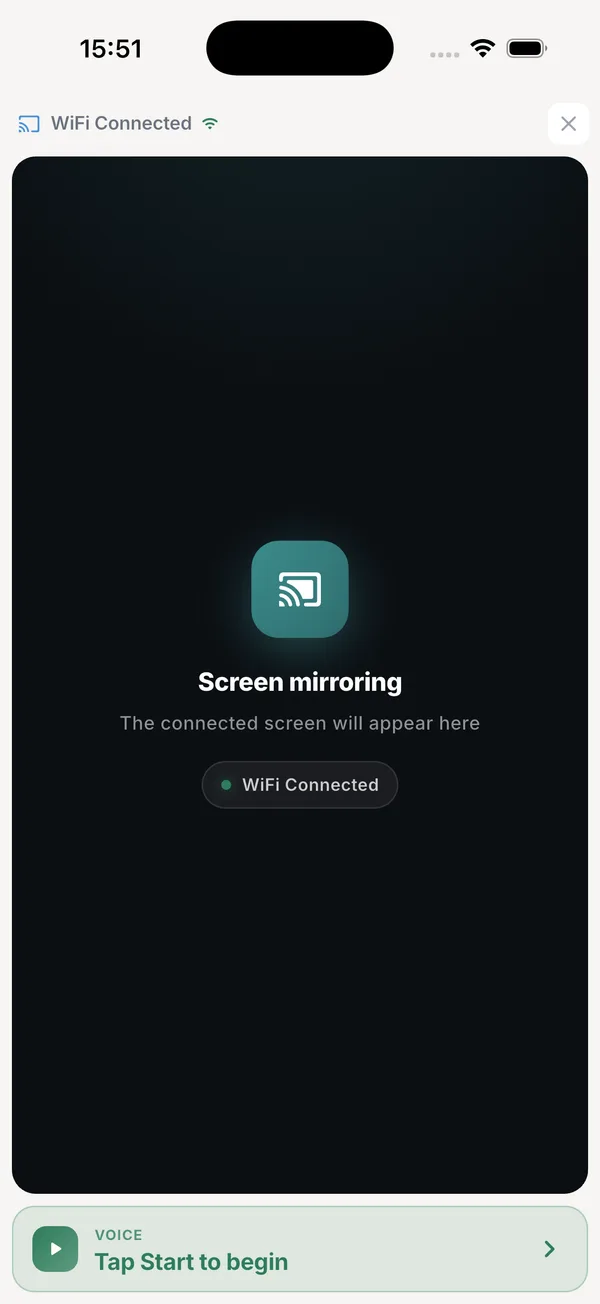
Smart overlays: your numbers on the Gym Monster screen
Overlays switch on from GMVoice and appear right on the Gym Monster screen. A stats bar tracks duration, volume, power output, calories and distance. A card shows the exercise, accessories, cable position and bench angle with your last sets. A progress panel adds trends, so an Incline Barbell Bench Press session shows your top-set weight and volume over the last 10 weeks.
- check_circle Stats bar: duration, volume, power output, calories and total distance for the current session.
- check_circle Exercise card: mode, accessories, cable position, bench angle and your last four sets.
- check_circle Progress panel: top-set weight and volume trends for the exercise, plus current top set, best weight, best session volume and session count.
Voice Guard: only your voice changes the weight
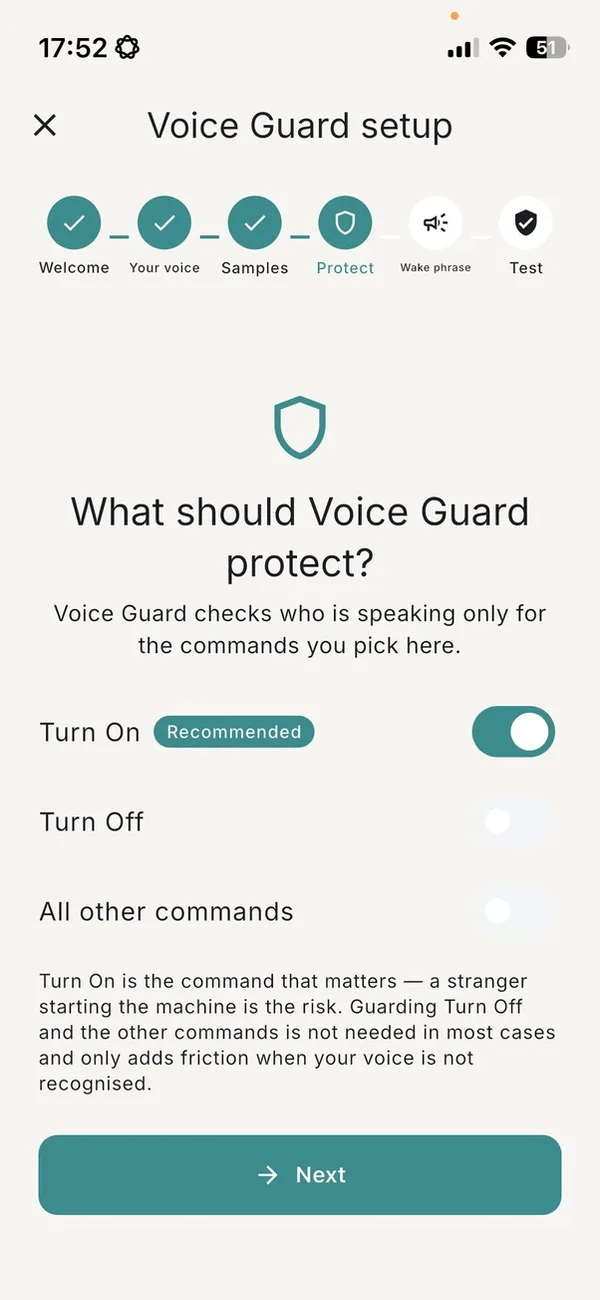
Voice Guard is a short setup in the app. Tap the shield icon, read aloud for about thirty seconds, then train your commands, and the app learns your voiceprint on the microphone you are using.
From that point every spoken command is checked against that print, and only a match reaches the machine. In a shared home gym that is the whole difference. A training partner counting your reps, a child in the room or a voice from the television can talk right through your set without changing the weight. A voiceprint belongs to the microphone it was made on, so your phone, your earbuds and a clip-on mic each need their own short setup.
Step by step: set up Voice Guard in the Field Debug guide.
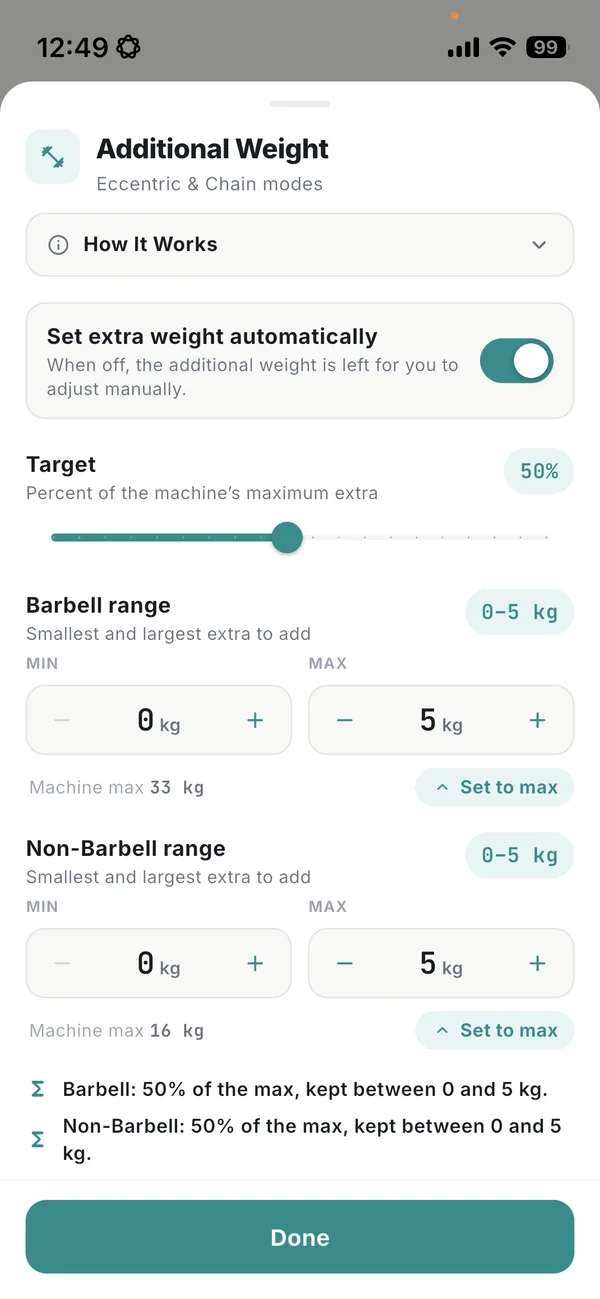
Extra weight that follows your weight changes
In Eccentric and Chain modes the Gym Monster adds extra weight on the lowering phase, and every time the main weight changes that extra has to be set again. GMVoice does it for you. Say a new weight and the app sets the additional weight right after it, the way you configured it.
- check_circle Target: how much to add, as a percentage of the maximum extra the machine offers for the current weight.
- check_circle Barbell and Non-Barbell ranges: a separate minimum and maximum for each, and the extra is never set above what the machine allows.
- check_circle Your call: switch it off and the additional weight is left for you to adjust by hand or with the
Set Extra Weightcommand. - check_circle What you need: GMVoice connected to the Gym Monster over Wi-Fi or in hybrid mode, with the Dongle API installed on the machine.
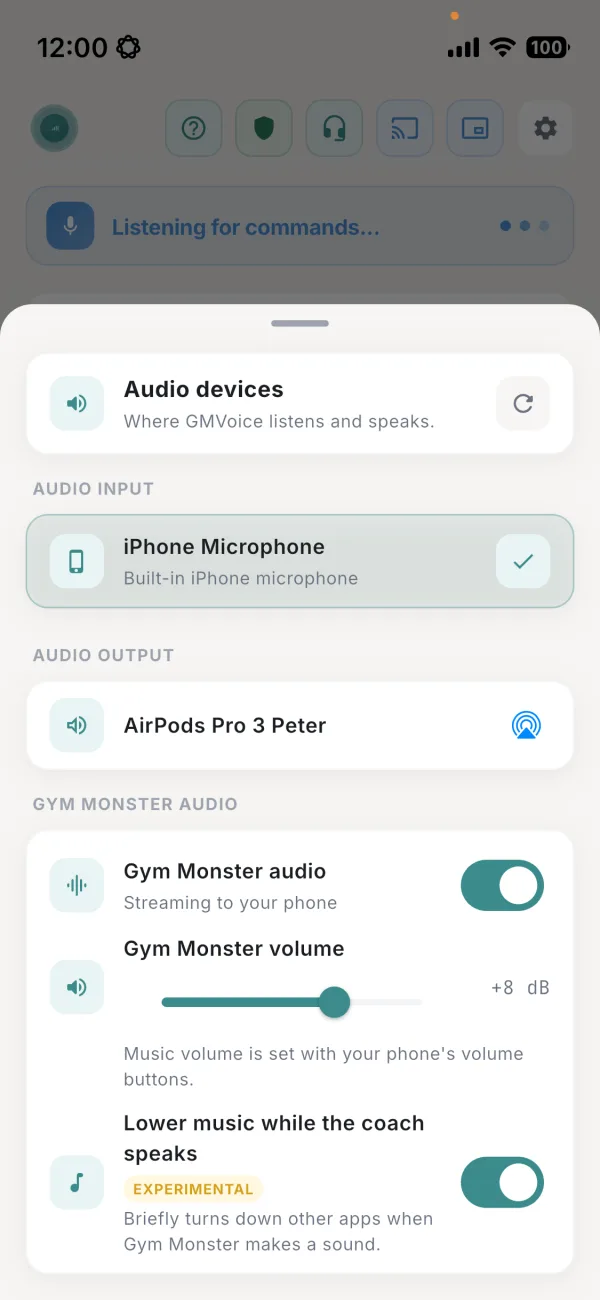
Gym Monster audio in your headphones
GMVoice can stream the sound of the Gym Monster to your phone and into the headphones or headset you train with. Trainer prompts, system sounds and music from the machine play in your ears instead of the room, with no Bluetooth transmitter plugged into the Gym Monster.
- check_circle Mix both sources: the Gym Monster audio plays together with audio from your phone, so your own playlist or podcast keeps going under the trainer prompts.
- check_circle One switch: open Audio devices from the headphones icon and turn on Gym Monster audio. It streams while GMVoice is listening.
- check_circle iPhone and Android: works on both, with GMVoice connected to the Gym Monster over Wi-Fi or in hybrid mode and the Dongle API installed on the machine.
Prefer a hardware setup? Connect AirPods to the Gym Monster with a Bluetooth transmitter. Step-by-step settings: stream Gym Monster audio to your headphones.
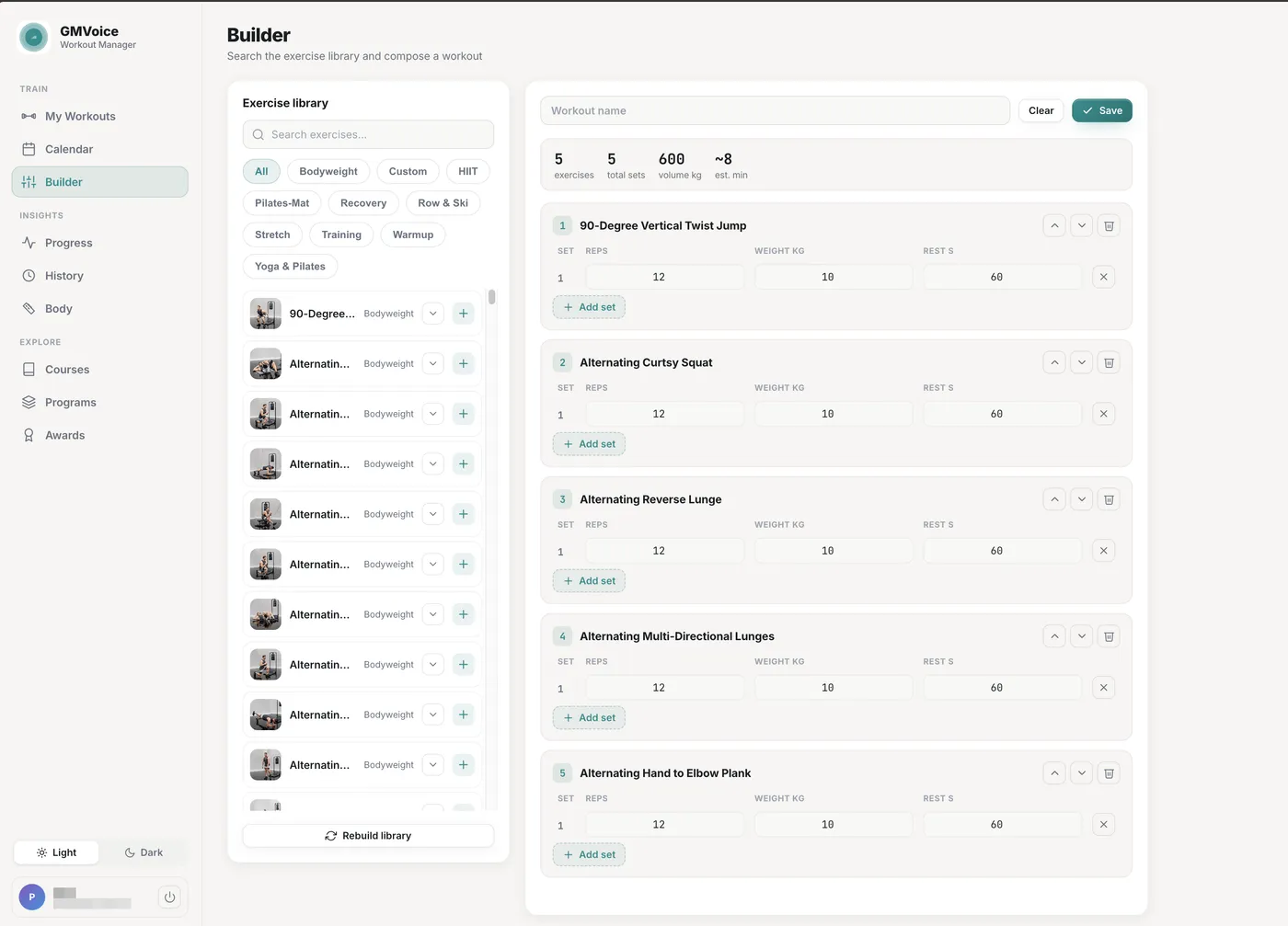
The complete setup: voice during the set, planning before and after
GMVoice puts your Gym Monster under voice control during the set. GM Manager is the web app from GMVoice where you plan the session first: build the workout, schedule it and review how it went, in any browser on a laptop or a phone. Together they cover the whole workout, from the plan to the last set. Both are free.
- check_circle Custom workout builder: searchable exercise library, set reps, weight and rest for every set with a keyboard instead of the tablet touchscreen.
- check_circle Calendar: schedule the workouts you built and see your week at a glance.
- check_circle Progress and history: every session your Gym Monster recorded, with trends over time.
- check_circle Body measurements, courses, programs and awards: all the data from your Speediance account in one place.
- check_circle No installation: runs in any browser, you sign in with your Speediance account, nothing is stored by GM Manager.
- check_circle Coach: a smart AI system that helps you achieve your training goals.
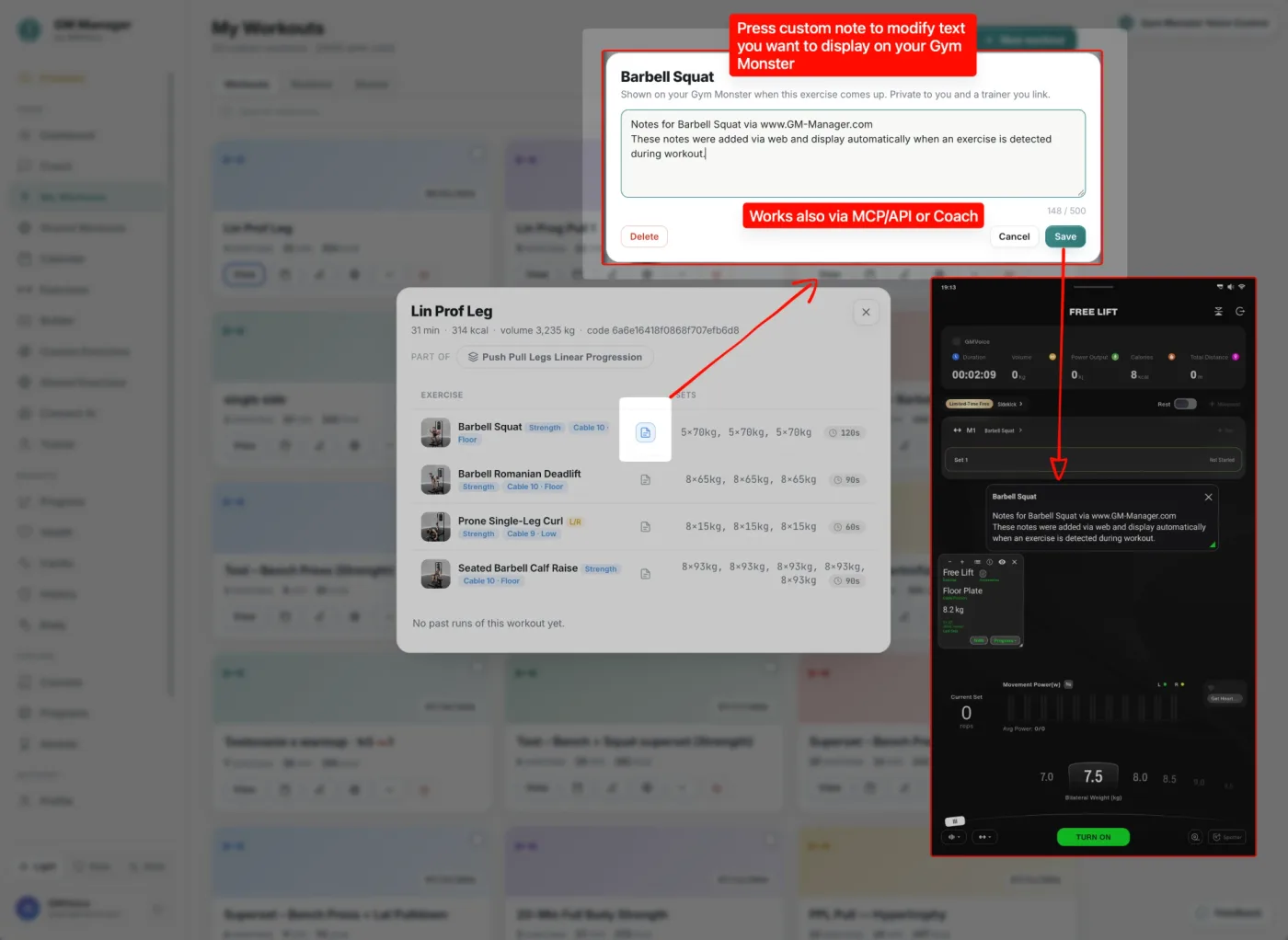
Your own notes on the Gym Monster screen, exactly when the exercise comes up
Write a private text note for any exercise in GM Manager, such as a form cue, a tempo or what to focus on today. When that exercise starts during your workout, the note appears on the Gym Monster screen automatically. It is possible because GMVoice is connected to your Gym Monster.
- check_circle Set it on the web: open GM Manager, click the note icon on an exercise and type up to 500 characters. The note is private to you and a trainer you link.
- check_circle Or let an agent write it: notes can be set through MCP or the API, or by the Coach in GM Manager. A Claude or Codex agent can leave you a message on what to focus on in each training.
- check_circle Shown automatically: GMVoice detects the exercise on the Gym Monster and the note appears on its screen, with nothing to tap.
- check_circle Hybrid or Wi-Fi mode: GMVoice must be running and connected to the Gym Monster in Hybrid or Wi-Fi mode.
GMVoice vs Gym Monster Ring
Built for faster control, less friction, and more flexibility than the typical closed accessory ecosystem.
Original Ring
- closePoor Ergonomics Under Heavy Load You have to adjust your grip to press the button, which makes your hand position less stable exactly when you need it most.
- closeUnreliable Connectivity The ring can disconnect at random, interrupting your workout flow and creating a problem if resistance is still active when you need to turn it off.
- closeLimited Long-Term Durability The ring tends to wear out after around a year of regular use, which turns a core control accessory into a recurring replacement point.
GMVoice
- check_circleHands-Free Ergonomics Voice control lets you keep your natural grip during heavy sets, so you never need to reposition your hand just to change resistance.
- check_circleAlways-On Voice Control GMVoice includes a built-in backup connection, so even if Bluetooth cuts out, you can still turn the machine on or off with your voice.
- check_circleNo Wearable Failure Point There is no button ring on your hand to wear out over time, which removes one of the weakest long-term parts of the control experience.
How to Set Up GMVoice
From how you connect to your first workout command, the setup is intentionally simple.
Choose How You Connect
GMVoice Dongle
Build your own (DIY) in minutes. Lowest latency, and it acts like a real Gym Monster Ring — supporting the Skip / Long Press and Double Press actions.
Direct Connection
Connect over Wi-Fi, or Bluetooth (Android only). No extra hardware needed.
Connect the App
Pair GMVoice with your configured dongle and your Gym Monster so everything is ready before training starts.
Start Training
Speak your commands, adjust resistance hands-free, and stay focused on the workout instead of the display.
Build Your Own Dongle
Build Your Own Dongle
Buy a blank, compatible dongle and flash GMVoice yourself — the lowest-cost route, fully under your control.
Want to be first in line for the next pre-flashed batch? Email contact@gmvoice.tech.
Build Your Own GMVoice Dongle
Buy blank compatible hardware if you want the lowest entry cost or prefer to flash GMVoice yourself.
GMVoice is free — the app, the flashing tool, and this DIY guide cost you nothing. If it saves you time at the gym, a coffee helps me keep building it.

Latest Insights
Latest from our Blog
Show Your Own Exercise Notes on the Gym Monster Screen
Stream Gym Monster Audio to Your Headphones
Speediance Accessory Rack and Storage
Speediance Pilates by Voice
How to Debug GMVoice Fast
Voice Command Not Working? Record It
What Is the Dongle API?
Plan Speediance Workouts on Your Laptop: GM Manager Web App (Free)
Use GMVoice with Google Assistant
Set Up GMVoice Siri Shortcuts
GMVoice vs Gym Monster Ring
Stream Gym Monster Music to AirPods
DIY Start Guide
Why I Built GMVoice
Top 5 Speediance Accessories
Common Questions
Frequently Asked Questions
How much does GMVoice cost, and will it always be free? expand_more
The costs are broken into two primary parts:
Hardware
A GMVoice dongle is optional — both iPhone and Android connect over Wi-Fi (Android also over Bluetooth) — but we recommend it for the lowest latency and dongle-only ring actions like Skip / Long Press and Double Press. A pre-flashed dongle is not available right now. When the next batch is ready I will sell it pre-flashed and ready to pair, so if you want one, send a short email to contact@gmvoice.tech and I will let you know first. Until then you can build your own with the DIY guide. Without the dongle, you just need any microphone setup you already prefer, such as headphones, an external microphone like Boya Mini 1, or even your phone's built-in microphone.
Software (phone app)
GMVoice is free today, and I want to keep it free for as long as I can. There is no subscription. What keeps the app in development, and keeps it published on the App Store and Google Play, are donations from the people who use it. If GMVoice saves you time in the gym, a coffee goes a long way.
Does it work with Gym Monster 1, Gym Monster 2, and Gym Monster 2s? expand_more
Can someone else's voice change the weight by accident? expand_more
Is GMVoice a Monster Remote for Speediance Gym Monster? expand_more
Do I really need a dongle for iOS? expand_more
Do Android users need a GMVoice Dongle? expand_more
What is GM Manager and do I need it with GMVoice? expand_more
Stay in sync with GMVoice
Subscribe for news and announcements
Get feature updates, hardware news, and release notes without the noise.
PRIVACY GUARANTEED. NO SPAM, JUST PROGRESS.